
How do Smart Tags work

Smart tag trackers have quickly become one of the most useful everyday gadgets, and one of the most popular branded tech gifts. With an easy setup and great tracking features, you can keep track of your keys, bag or anything you want to.
But how do they actually work? How do you set one up? And can the same tag work with both an iPhone and an Android phone?
What Is a Smart Tag?
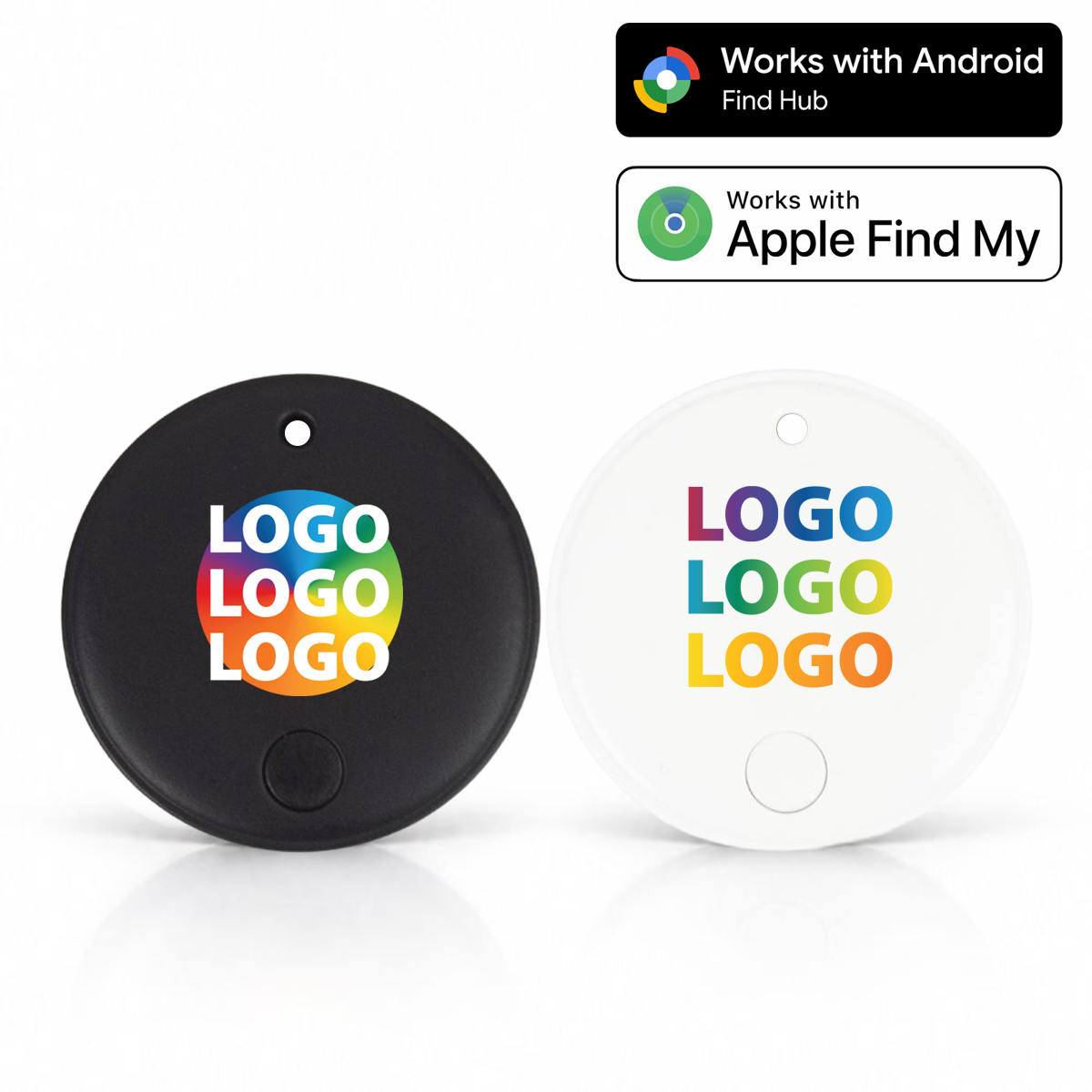
A smart tag is a small Bluetooth tracker that you attach to something you don't want to lose: keys, a bag, a suitcase, a wallet, a laptop case or even a pet collar. Once it's paired with your phone, you can see where it is on a map and even play a sound to help you find it.
They can come in a small shape with with a keyring hole at the top so you can tie or clip it onto keys and bags or even a 1mm thick Credit Card shape to fit perfectly in your wallet.
How Do Smart Tags Work?
Smart tags don't contain GPS or a SIM card. Instead, they use Bluetooth Low Energy and a huge network of other people's phones. That's what keeps them small, cheap to run and long-lasting.
Here's what happens, step by step:
-
The tag sends out a Bluetooth signal. Every so often, the tag broadcasts a tiny, encrypted Bluetooth signal.
-
Nearby phones pick it up. When your own phone is in range, it can connect to the tag directly. That's how the "play sound" feature works.
-
The crowd helps when you're out of range. If you leave your tag somewhere, any compatible phone that passes nearby can anonymously detect its signal. On iPhone that's the Apple Find My network. On Android it's the Google Find Hub network.
-
The location is sent to you securely. The passing phone reports the tag's location to the network in encrypted form. Only you can see it, in your app. The person whose phone helped never knows, and neither of you sees the other's details.
-
You see it on a map. Open the Apple Find my or Andorid Find Hub app and you'll see where your item is live or where it was last detected, with a time stamp.
Hundreds of millions of iPhones and Android phones are out there, so in busy places like towns, stations and airports your tag is very likely to be picked up regularly. This is why a tiny tag with a coin-cell battery can help you track your items across the country, or even abroad.
Good to know: Location updates depend on compatible phones being nearby. In very remote places updates may be less frequent, but the app will always show the last place your tag was seen.
One Tag, Two Networks: Apple Find My and Android Find Hub
Many trackers only work with one platform. Our Smart Tag is compatible with both:
- Apple Find My: pairs with iPhone and iPad and shows up in the built-in Find My app, next to your Apple devices.
- Android Find Hub: pairs with Android phones and shows up in Google's Find Hub app (formerly Find My Device).
That makes it ideal as a corporate gift or giveaway, because you don't need to know what phone each person uses. Everyone who receives one can use it.
Please note: The tag connects to one network at a time. You choose Apple Find My or Android Find Hub when you pair it. To switch, remove it from the current app and reset the tag (see below), then pair it with the other.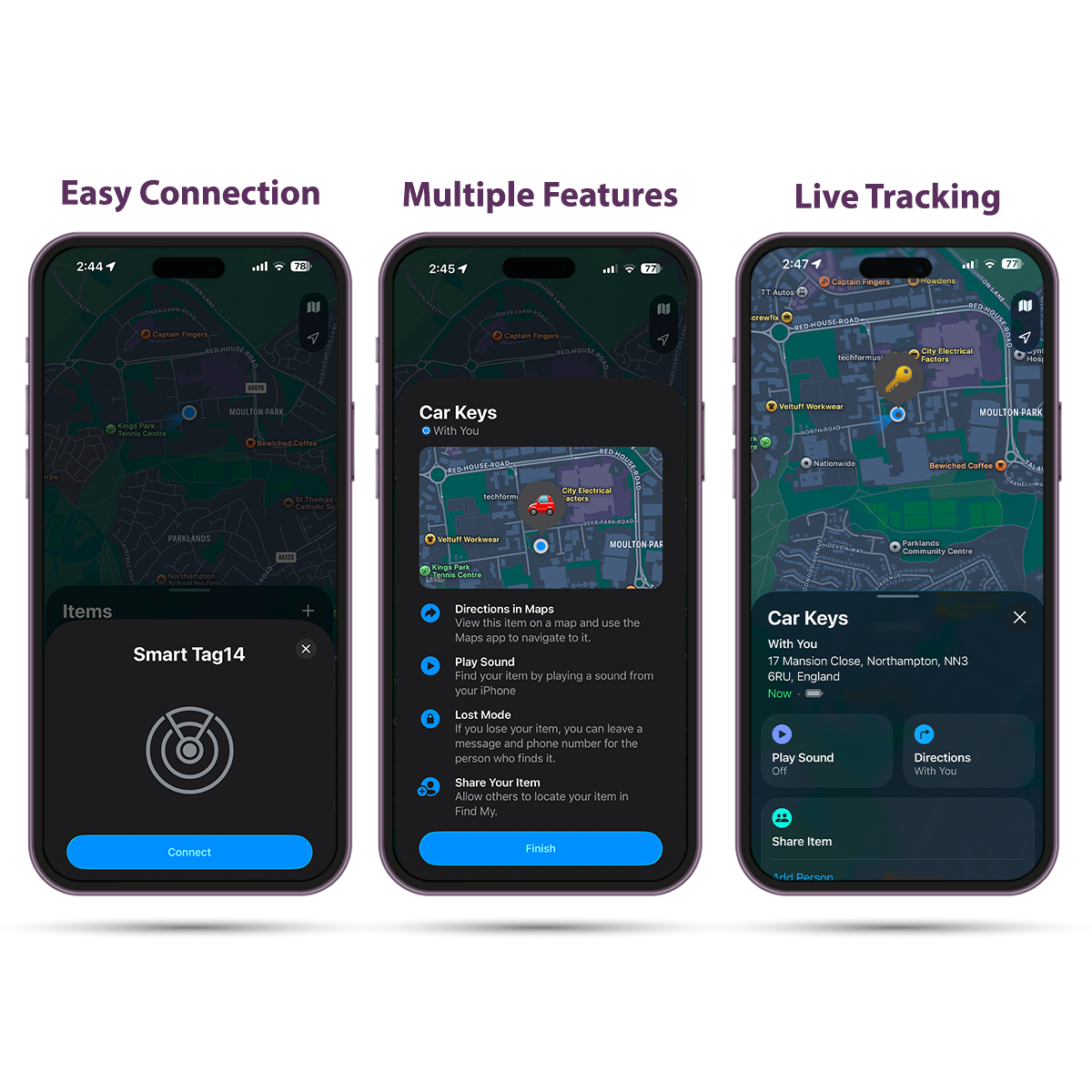

How to Connect Your Smart Tag
Setup takes less than a minute, with no extra apps to download, because both Find My and Find Hub are already built into most phones.
Before you start
- Make sure Bluetooth is turned on on your phone.
- Keep the tag close to your phone during setup.
- Press the tag's button to wake it up. It will play a sound to show it's ready to pair.
Connecting to an iPhone (Apple Find My)
-
Open the Find My app.
-
Tap the Items tab, then tap + (or Add Item).
-
Choose Other Supported Item.
-
Your phone will search for the tag. When it appears, tap Connect.
-
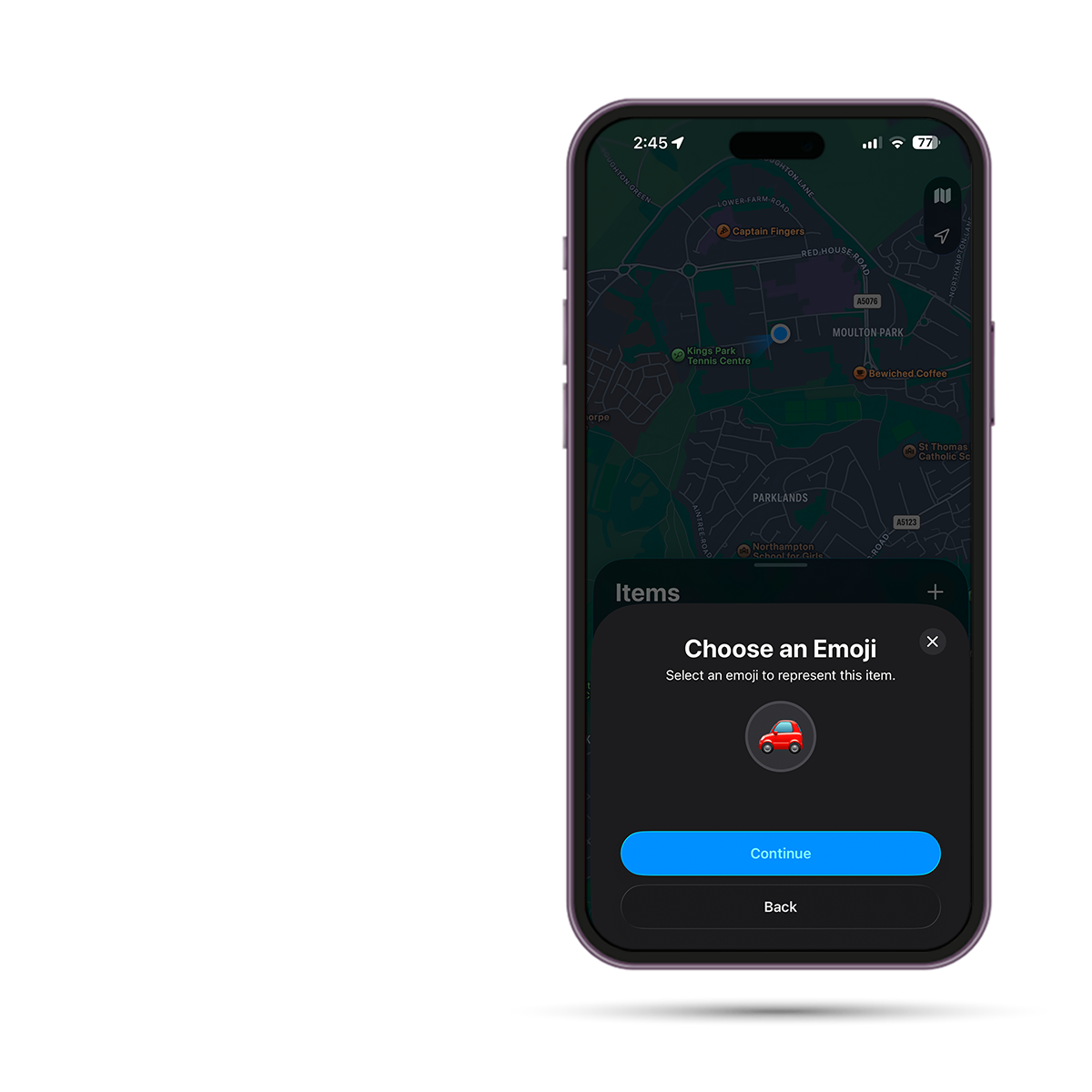
Give your tag a name and an emoji (for example "Keys" or "Laptop Bag").
-
Agree to register it to your Apple Account, and tap Finish.
Your tag will now appear in the Items list and on the map.
Connecting to an Android phone (Find Hub)
-
With Bluetooth and location turned on, bring the tag close to your phone.
-
In most cases a pop-up notification will appear automatically. Tap Connect or Add.
-
If no pop-up appears, open the Find Hub app, tap Add device (or the + icon), and follow the on-screen steps.
-
Sign in with your Google account if asked, and name your tag.
Your tag will now appear in Find Hub alongside your phone, earbuds and other devices.
Resetting or switching platforms
If you want to give the tag to someone else, or move it from iPhone to Android (or the other way round):
1) Remove the tag from the app it's paired with (in Find My: select the item, then Remove Item; in Find Hub: select the tag and remove it).
2) Reset the tag using the button sequence in the quick-start guide that comes with it.
3) Pair it again as a new device using the steps above.
Features in the App
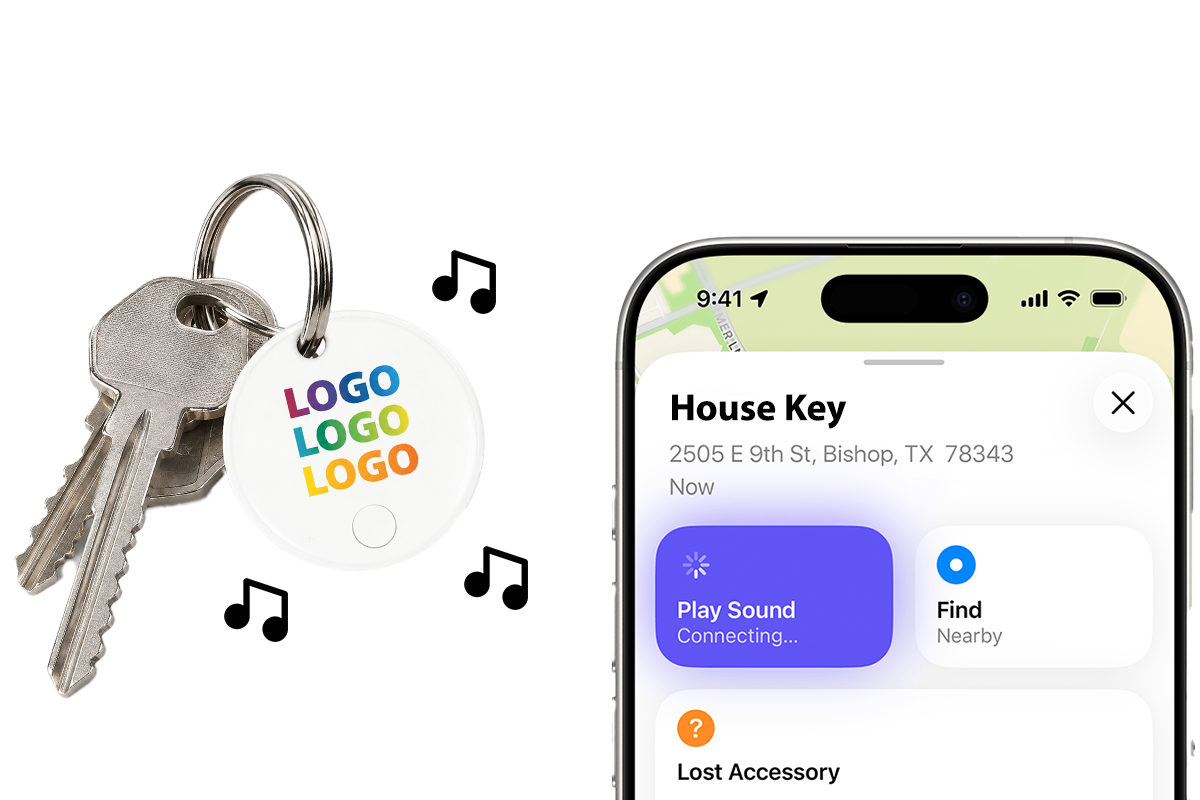
Once your tag is connected, the app does the work. Here's what you can do.
See it on a map
View your tag's current or last known location, with the time it was last seen. Tap for directions to get back to it.
Play a sound
If your keys are down the back of the sofa, tap Play Sound and the tag will beep until you find it. Great for things that are "lost" somewhere at home or in the office.
Anti Lost Mode / Mark as Lost
If an item is properly lost, put it into Lost Mode (Find My) or mark it as lost (Find Hub). This stops anyone else from pairing with your tag. On iPhone, you can also add a message and contact details for anyone who finds it.
Get notified when it's found
In Find My, turn on Notify When Found. You'll get an alert as soon as the network picks up your lost item's location.
Find it nearby
When you're close, Find Hub's Find Nearby shows an indicator that fills up as you get closer to your tag. It's a quick game of "hot and cold" to find the exact spot.
Share with others
Both apps let you share an item with people you trust, such as a family member sharing the car keys, so they can find it too. On iPhone, you can also share an item's location with a third party, such as an airline, to help track down lost luggage.
Built-in privacy and anti-stalking protection
Both Apple and Google include unwanted tracker alerts. If an unknown tag seems to be travelling with someone, they'll be told on their phone and can make it play a sound to find it. Locations are end-to-end encrypted, so only the owner can see where their tag is.
Battery Life
Our Smart Tag runs on a single CR2032 coin-cell battery, giving over 10 months of use. When it runs low, the app will let you know. Just swap in a new CR2032 battery, which you can buy almost anywhere. There's no charging needed and no need to replace the whole tag.
Our Credit Card version can be recharged via wireless charging!
Frequently Asked Questions
Can the Smart Tag be branded with a customer's logo?
Yes. We print your customer's logo in full colour on the front of the tag, with a 15 x 15mm print area. With Full-colour digital print, you can mix up branded and personalised designs onto the tag. We send a free digital mock-up for approval before anything goes into
means detailed and multi-colour logos reproduce well, and we send a free digital mock-up for approval before anything goes into production.
What is the minimum order quantity?
The minimum order is 10 units, making it ideal for client gifts, staff welcome packs, event giveaways and reseller orders.
How quickly can you turn around an order?
Our standard lead time is approximately 5-10 working days. The white Smart Tag is held in UK stock and printed in-house. We also offer a 24-hour express service.
What colours are available?
The Smart Tag comes in white and black. White is held in UK stock for the fastest turnaround.
Will it work for my customer's whole team, whatever phone they use?
Yes, and this is a major selling point. The Smart Tag works with both Apple Find My (iPhone) and Android Find Hub, so you don't need to know what phone each recipient uses. It pairs with one network at a time, chosen during setup.
Do recipients need to download an app or pay a subscription?
No. Find My and Find Hub are built into most iPhones and Android phones and are free to use, so there are no extra apps to install and no monthly fees for the end user.
Can I get a sample before ordering?
Yes. Samples can be produced on request, alongside your free digital mock-up. Just ask your account manager.
How long does the battery last?
Each tag runs on a single replaceable CR2032 coin-cell battery, giving over 10 months of use. When it runs low, the recipient simply swaps in a new one, so your customer's brand stays in use long after the battery change.
Is there a slimmer option for wallets?
Yes. We also offer a card tracker version with the same tracking features in a slim 1mm-thick card that slips into a wallet, purse or passport holder.
Is it safe and privacy-friendly to give as a gift?
Yes. Location data is end-to-end encrypted so only the owner can see it, and both Apple and Google include built-in alerts that warn people if an unknown tracker is travelling with them.
Ready to Order Branded Smart Tags?
Smart tags are practical, affordable and used every day, which makes them one of the best branded tech gifts you can give. Whether your audience uses iPhone or Android, our Smart Tag has them covered.
View the Smart Tag and get a quick quote or call our team on 01604 685040 for a free mock-up.